WORKSTATION • SHAPE-SHIFTING MONSTROSITY
Daedalus is my workstation, my main machine, my daily driver, my all-purpose Linux warcrime.
It builds stuff, runs stuff, compiles stuff, renders stuff, and somehow keeps its composure while I repeatedly subject it to configurations that should probably qualify as abuse.
For years, I had this idea stuck in my head:
- A: GPU passthrough, Windows, gaming, suffering
- B: Clean, stable, normal Linux life
And I wanted to switch between them like gears. Instead, I lived like a caveman. if statements, flags, rebuilds, full system builds just to toggle a feature. Absolute nonsense. But then I stumbled into something that felt like I had accidentally unlocked a dev console command:
Specializations, my beloved
NixOS has specializations, which is basically “swap your entire OS config like it’s a preset,” and somehow the internet isn’t collectively losing its mind. This is absurd. You can define multiple complete system configurations inside the same system, and switch between them at boot or at runtime. Runtime. As in, your machine changes personality without rebuilding.
Here is the entire concept:
specialisation.gpu-passthrough.configuration = {
  system.nixos.tags = [ "gpu-passthrough" ];
}
That’s it. Wrap your cursed GPU passthrough setup in there, give it a tag, and suddenly it’s one system, yet multiple realities and zero hacks. I spent years brute-forcing this. Years. I could have avoided so much suffering.
Fixing GPU Passthrough Issues on Windows
Of course, once you’ve wrestled VFIO into submission and isolated the GPU, you’d expect Windows to just… work. But no. Windows doesn’t work. It never works. Instead, your GPU outputs what I can only describe as the graphical equivalent of a dying CRT having an LSD episode. Corrupted frames, flashing garbage, random artifacts, pure madness.
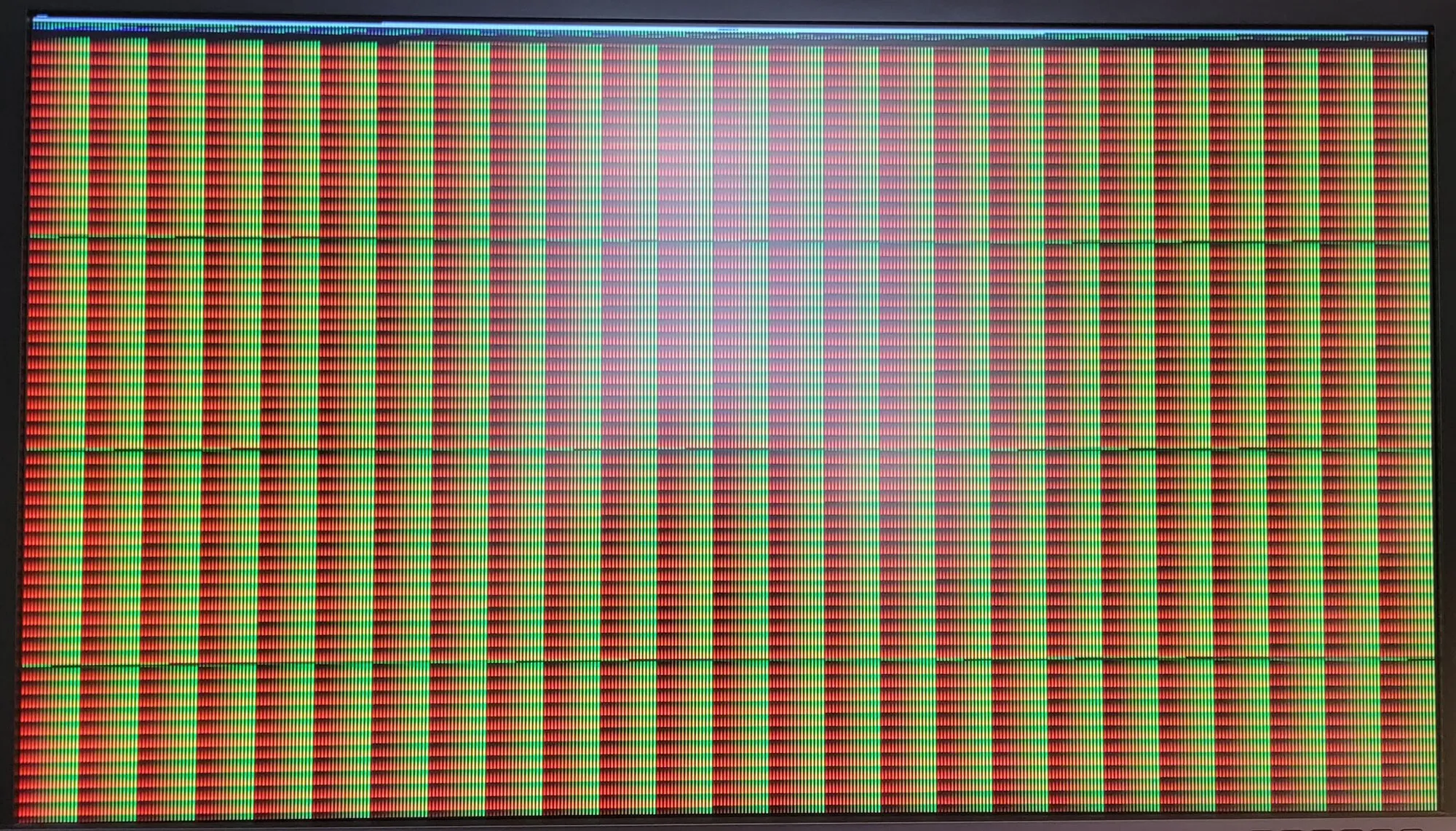
Yes, this is the actual output of the GPU. This is what happens when Windows decides your perfectly valid hardware setup is, in fact, illegal. So, solution?
Lie.
<vendor_id state="on" value="randomid"/>You lie to Windows, pretending your GPU isn’t what it is. And suddenly, as if bribed, Windows behaves. It’s not pretty, it’s still Windows, but when that login screen shows up clean for the first time? You feel something.
Driver Reset Issues (AMD)
Now we get to the real villain. Not Windows. AMD. If your GPU supports FLR (Function Level Reset), congratulations - you are one of the chosen few. If not? Welcome to hell. You shut down your VM. Everything looks fine. You start it again. Nothing. No signal, no output, no life. Because the GPU refuses to reset. It just sits there like:
“We had a good run. I’m done now”
Because AMD, in their infinite wisdom, decided the entire RX 7000 series should not support FLR. No reset. No reinitialization. No “oh, you want to actually use your GPU again?” And they have no plans to add FLR ever.
So how do we revive this stubborn brick without rebooting the entire host? We perform a ritual:
echo 1 | sudo tee /sys/bus/pci/devices/0000:03:00.0/remove
echo 1 | sudo tee /sys/bus/pci/devices/0000:03:00.1/remove
sudo rtcwake -m mem -s 2
echo 1 | sudo tee /sys/bus/pci/rescan
And somehow it brings the GPU back to life.
Display Setup Rabbit Hole
Of course, while doing all this, I had exactly one physical monitor. So every time I launched or quit the VM, I crawled under the desk - on my knees like a discount Cirque du Soleil performer - swapping the HDMI/DP cable between my iGPU and dGPU. After doing this enough times to question my life choices, I finally had a revelation:
This is incredibly stupid
Enter Looking Glass
Looking Glass is what happens when someone says:
“What if we made this elegant… but ALSO a pain to understand?”
Looking Glass captures raw frames from the passthrough GPU and shares them via shared memory /dev/shm/looking-glass. No encoding, or compression. And the result?
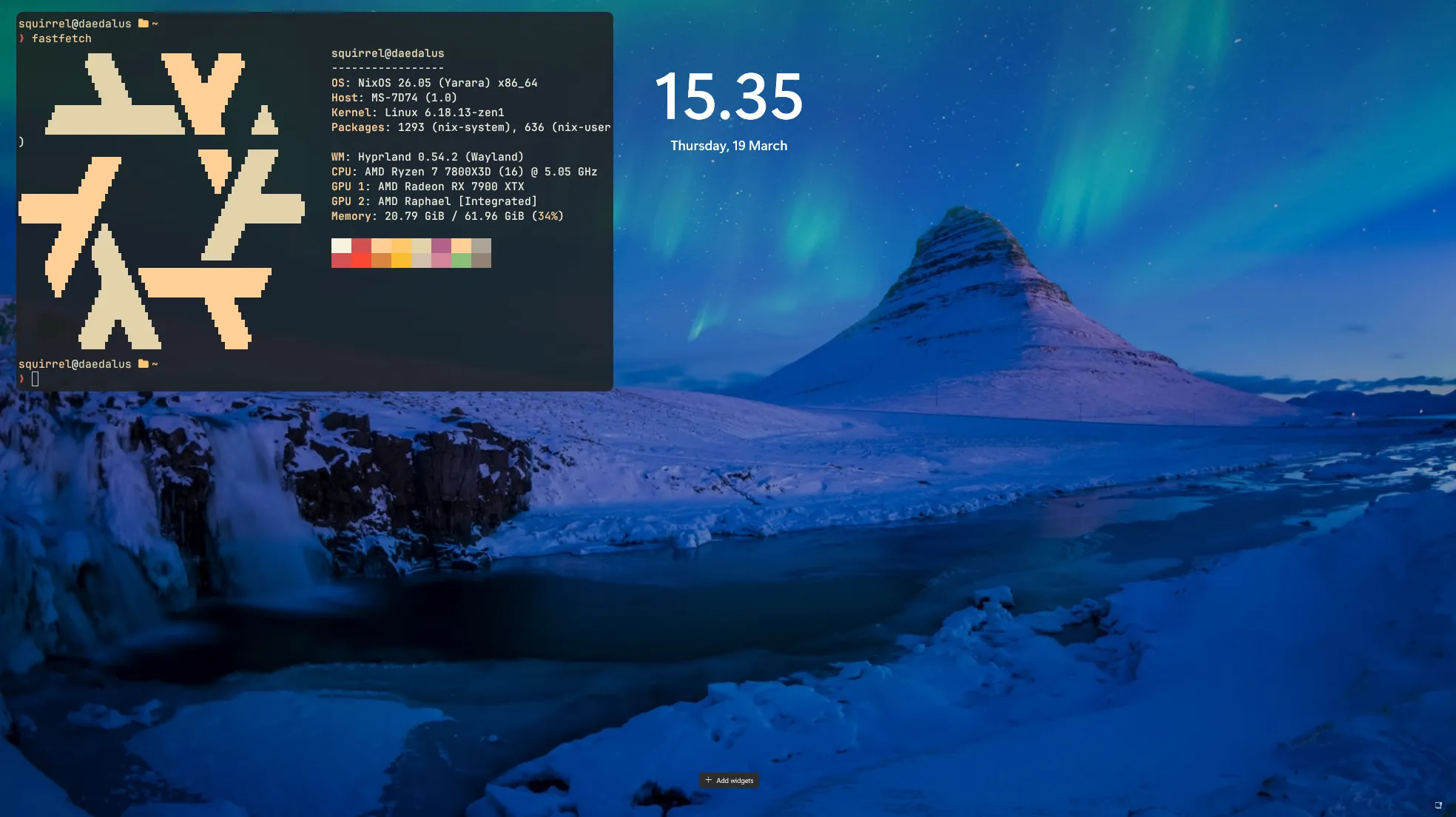
Yes, that is my terminal on hyprland, floating above the looking-glass client which is showing windows.
To make the shared memory you need the following formula to calculate the size: ”width * height * 4 * 2”. This this must be rounded the the nearest power of two. For a more detailed explanation see the official looking-glass documentation.
If you are on NixOS (you should be) we can just declare the shared buffer with:
systemd.tmpfiles.rules = [
  "f /dev/shm/looking-glass 0660 YOUR_USER kvm -"
];
And the shared memory in the VM config:
<shmem name="looking-glass">
  <model type="ivshmem-plain"/>
  <size unit="M">SIZE</size>
</shmem>
You’ll also need a SPICE channel:
<channel type="spicevmc">
  <target type="virtio" name="com.redhat.spice.0"/>
  <address type="virtio-serial" controller="0" bus="0" port="1"/>
</channel>
Virtual Display Driver (VDD)
Once Looking Glass was working, technically I could stop.
Obviously I didn’t.
milkman7755 pointed me to this absolute cheat code: VDD: Virtual Display Driver.
VDD lets you conjure a virtual monitor out of thin air. No physical output, no real ports or adapters. Just pure, synthetic, digital wizardry. Windows believes it has a monitor. Looking Glass captures it and Linux displays it. And you? You never have to touch a cable again. Not once, not ever!
Note: Your kneecaps will thank you.
You can define
- Any resolution
- Any refresh rate
The Joys of “Why the Hell Is There No Sound?”
You know that moment when everything is finally working - GPU passed through, Windows tamed with lies, Looking Glass somehow working - and you think:
“Alright… now let’s hear this masterpiece
And then. Silence. The emotional kind. Because of course you forgot audio.
USB Audio: The Toddler With the Death Grip
My first instinct was “I’ll just pass through my USB headset”. Huge mistake. USB passthrough is a jealous toddler. Once it grabs your device, it’s gone. Host audio? Dead. Hotplugging? Dead. Your headset now lives in Windows permanently. You may visit it on weekends.
USB passthrough is a jealous little gremlin. Give it an inch and it will take your entire sound stack, your patience, and possibly your will to live.
SPICE Audio: The Surprising “Oh wow This Actually Works” Option
Instead of sacrificing hardware to Windows, you let QEMU emulate a sound card that Windows already understands: ICH9.
Now sometimes it might spontaneously shit itself and flashbang you with some of the scariest sound glitches you’ll hear in your life. Let’s just call it a feature if you play horror games while having this setup.
Final form
And that’s it. This is the final form of passthrough decadence.
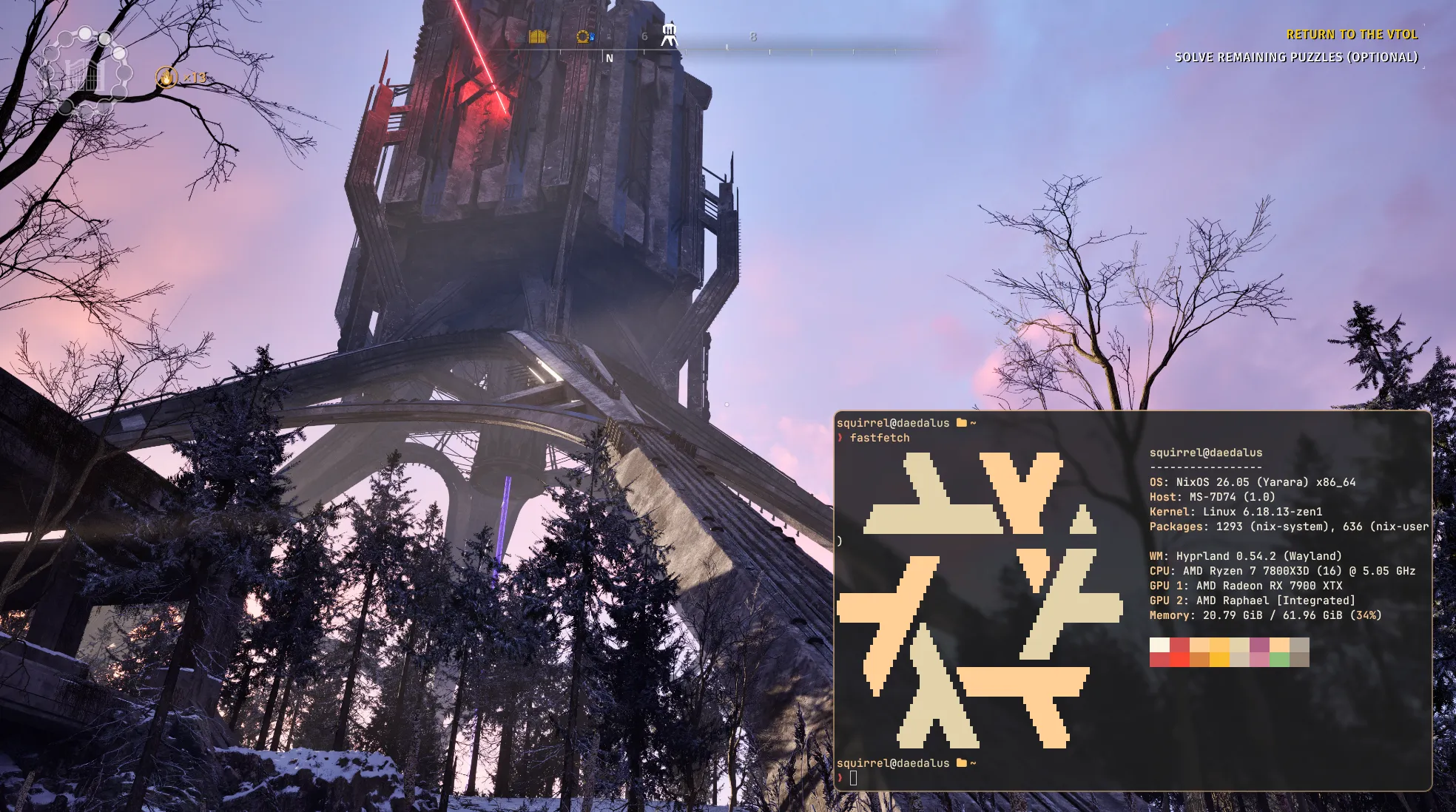
A GPU in a VM outputting to a monitor that doesn’t exist, displayed on a host that pretends nothing weird is happening. It’s stupid. It’s brilliant. It’s everything I wanted.
This is what Daedalus was always supposed to be - a Linux workstation that can shapeshift into a Windows gaming rig on command, without a single cable sacrificed to the gods.